Warehouse
Plans the day and sees what arrives before it arrives.
- Ramp calendar with capacity
- Slot templates and working hours
- Utilisation reports
Carriers book their own slot from a link - no account, no password. Your team sees every ramp on one calendar, and the gate checks trucks in by plate. About 2 hours to set up, data hosted in the EU.
The Dock plan is free for everyone, with no time limit
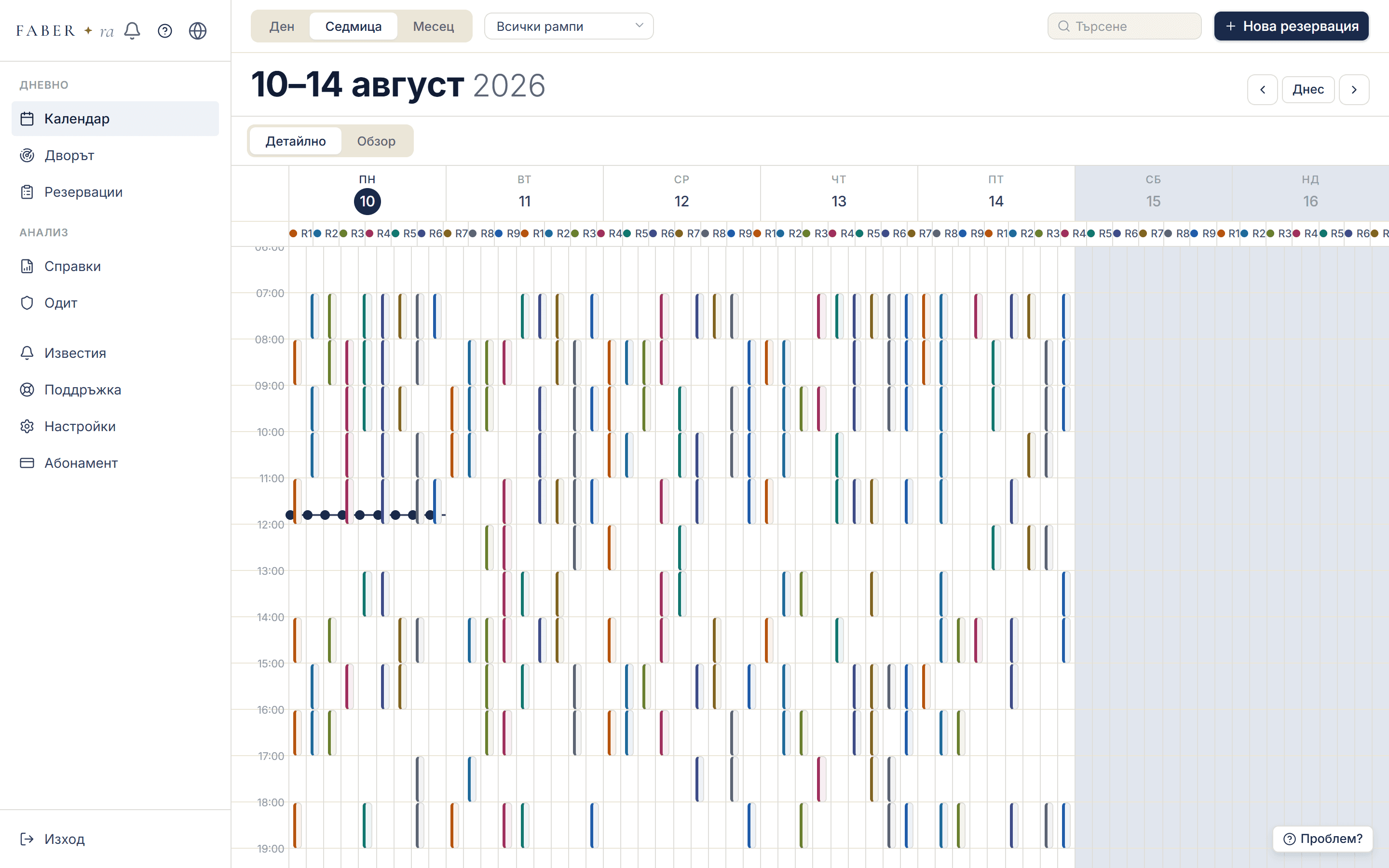
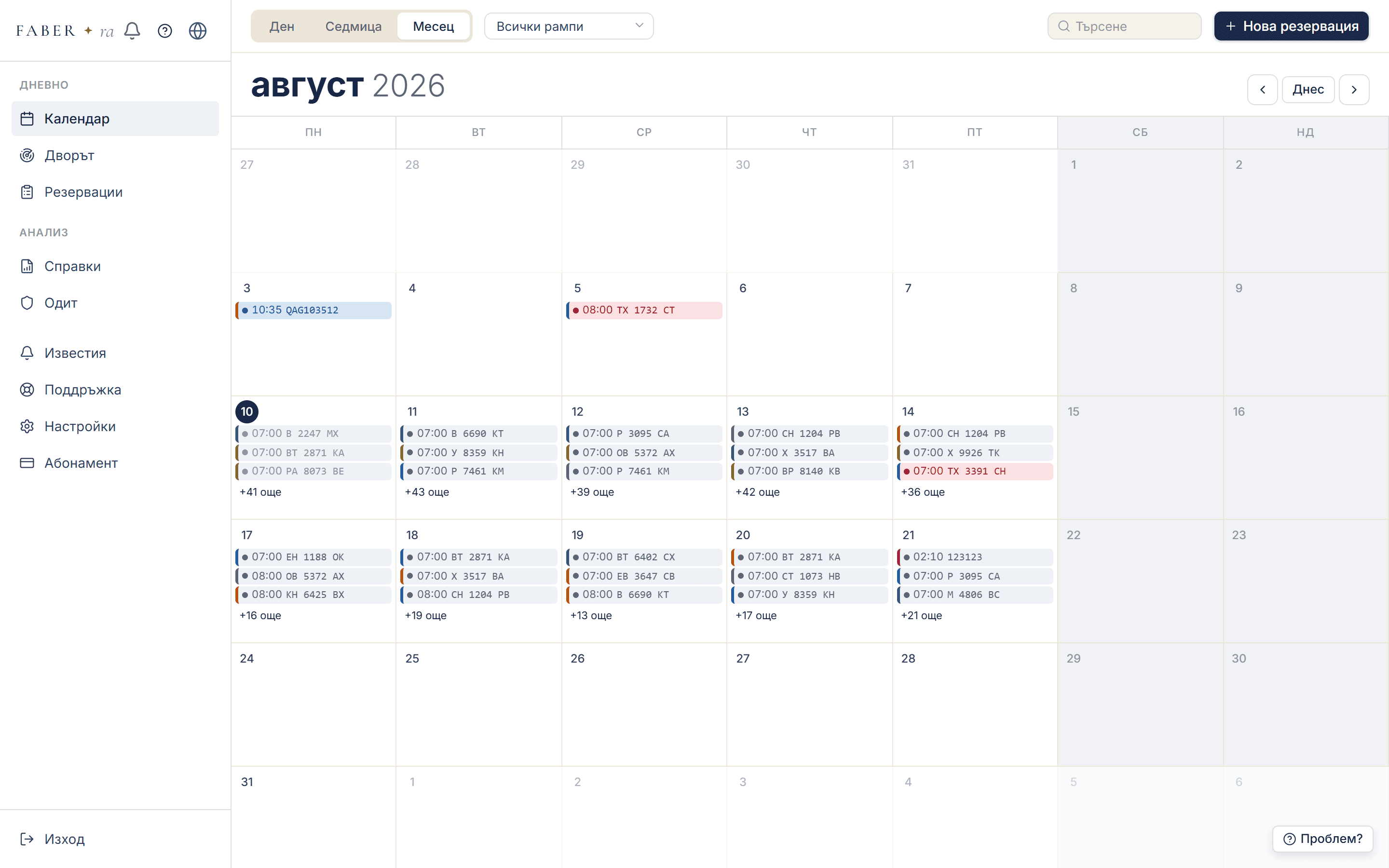
The dispatch calendarweekly view by ramp · captured from the working system
Built for the operational reality of
WarehousesDistribution3PL operatorsManufacturing
5 languagesUnlimited ramps and users€0 for carriers

When nobody knows who arrives when, the day starts blind - and everyone pays for it.
Trucks pile up at the gate first thing in the morning, wait for hours, and the drivers and customers call - you.
The same ramps that overflow in the morning sit empty after lunch. The capacity is there - the order isn't.
Slots are agreed by phone and kept in a spreadsheet only one person understands. One day off - and the day falls apart.
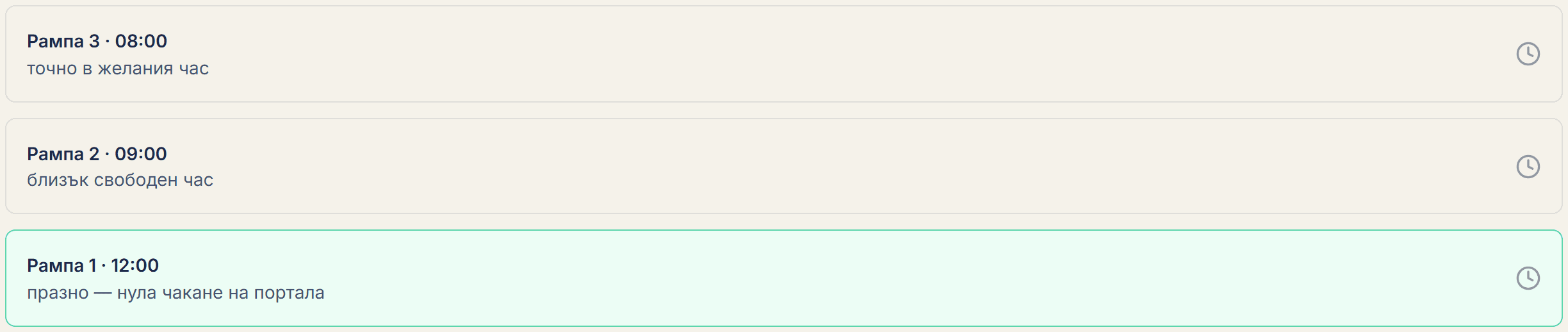
One of these pictures will look familiar. The other is the same day, organised.
Calendar
Your customer or carrier signs in via a secure email link - no password - and picks a free slot. The system suggests the three most convenient ones.
Dispatch views the full schedule by ramp - day, week or month. Working hours, holidays and capacity are configured once.
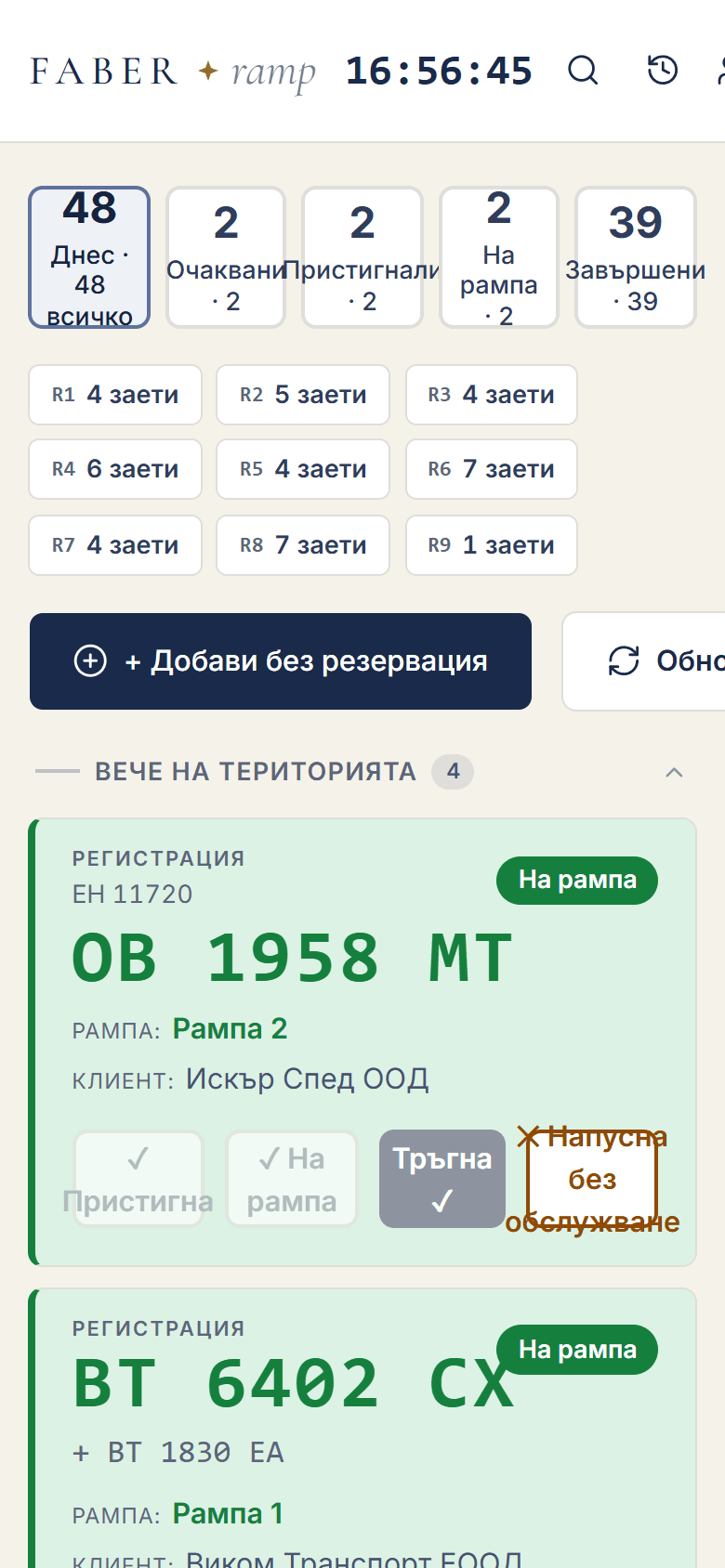
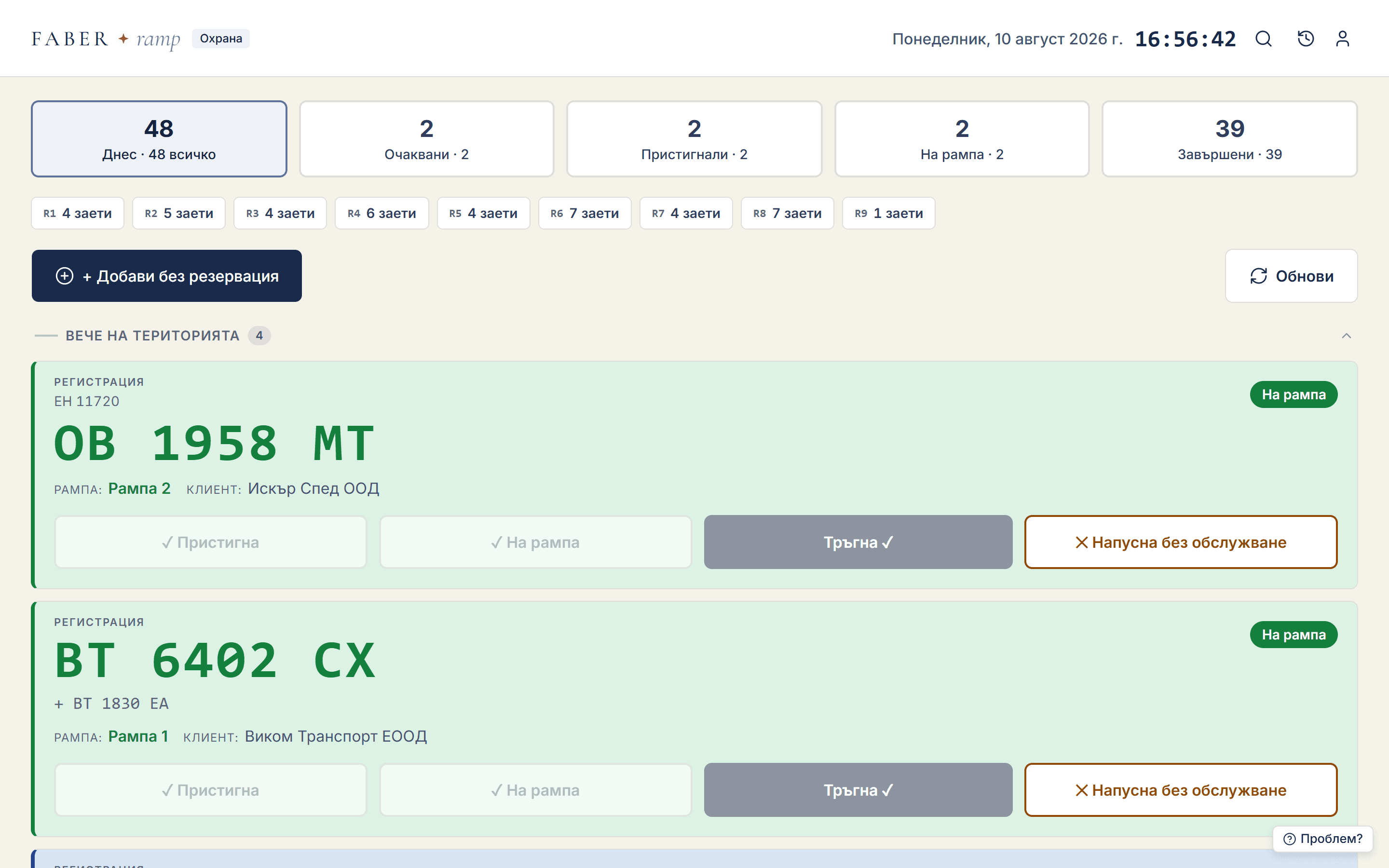
Security sees today's queue on a tablet and marks arrivals and departures with one tap. Everyone sees the status instantly.
Everything below is captured from the running system with demo data - the same thing you will see in the public demo.
Day, week or month - the whole yard on one screen, colour-coded by ramp with the status of every reservation. Rescheduling is a single drag.
Calendar
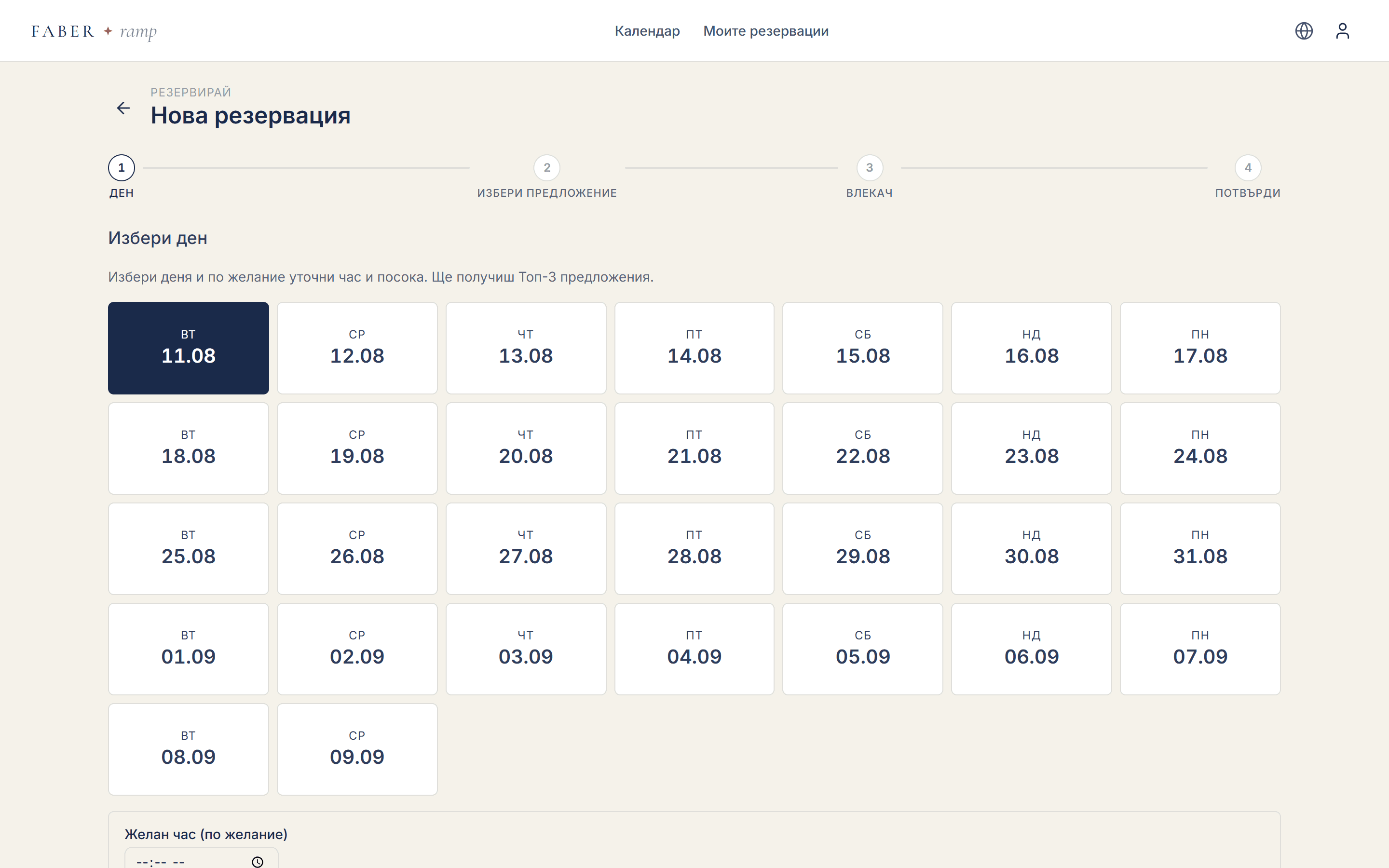
The carrier signs in through a secure email link - no password, no registration. The system suggests the three most convenient free slots of the day.
New reservation
The guard sees today's queue on a tablet and marks arrival, ramp and departure with one tap. Every tap is logged with a timestamp and an author, and feeds the reports straight away.
Gate
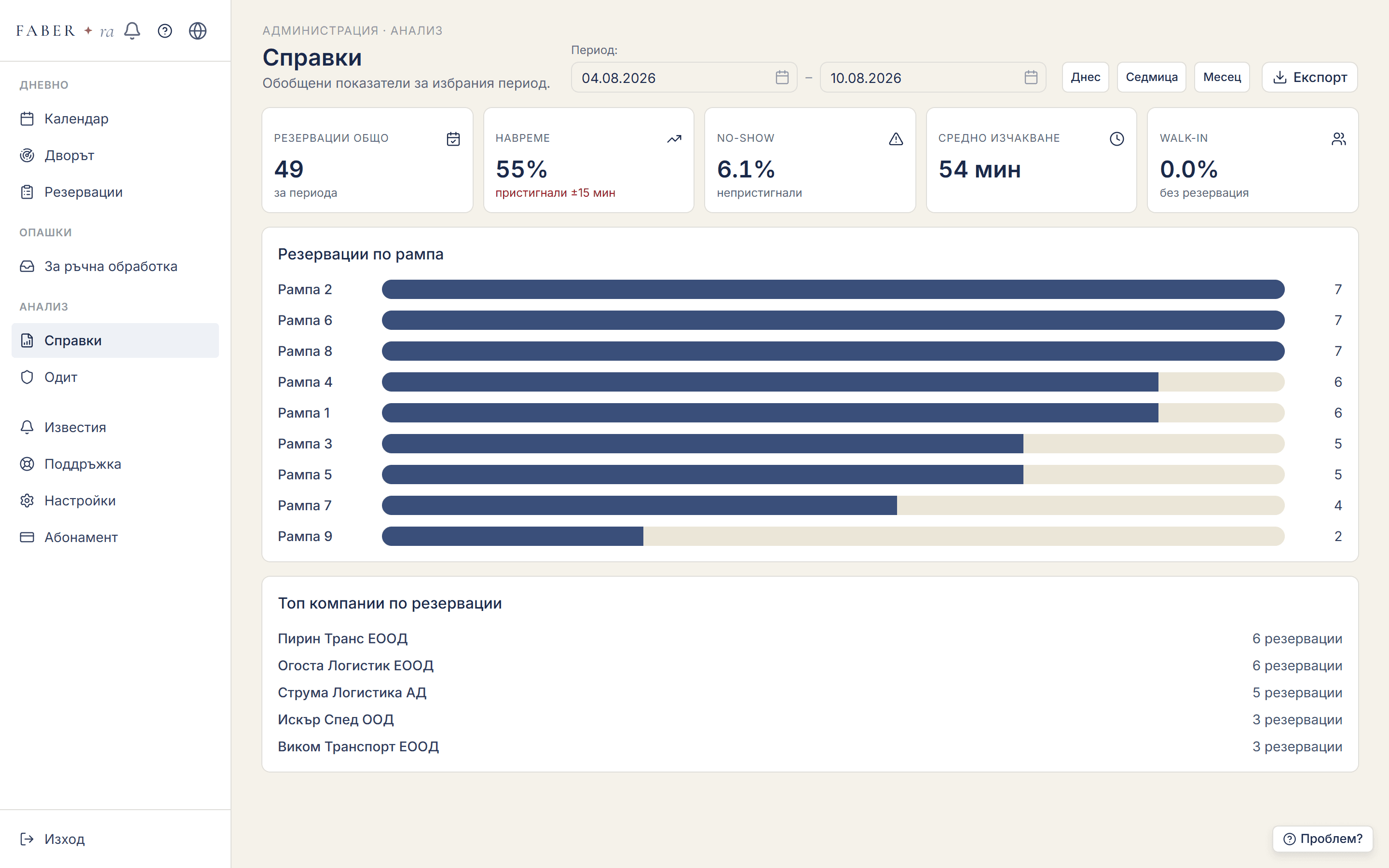
Every tap at the gate becomes data: dwell time, punctuality, utilisation per ramp and hour. Reports are ready at the end of the day - no manual reporting at all.
Reports
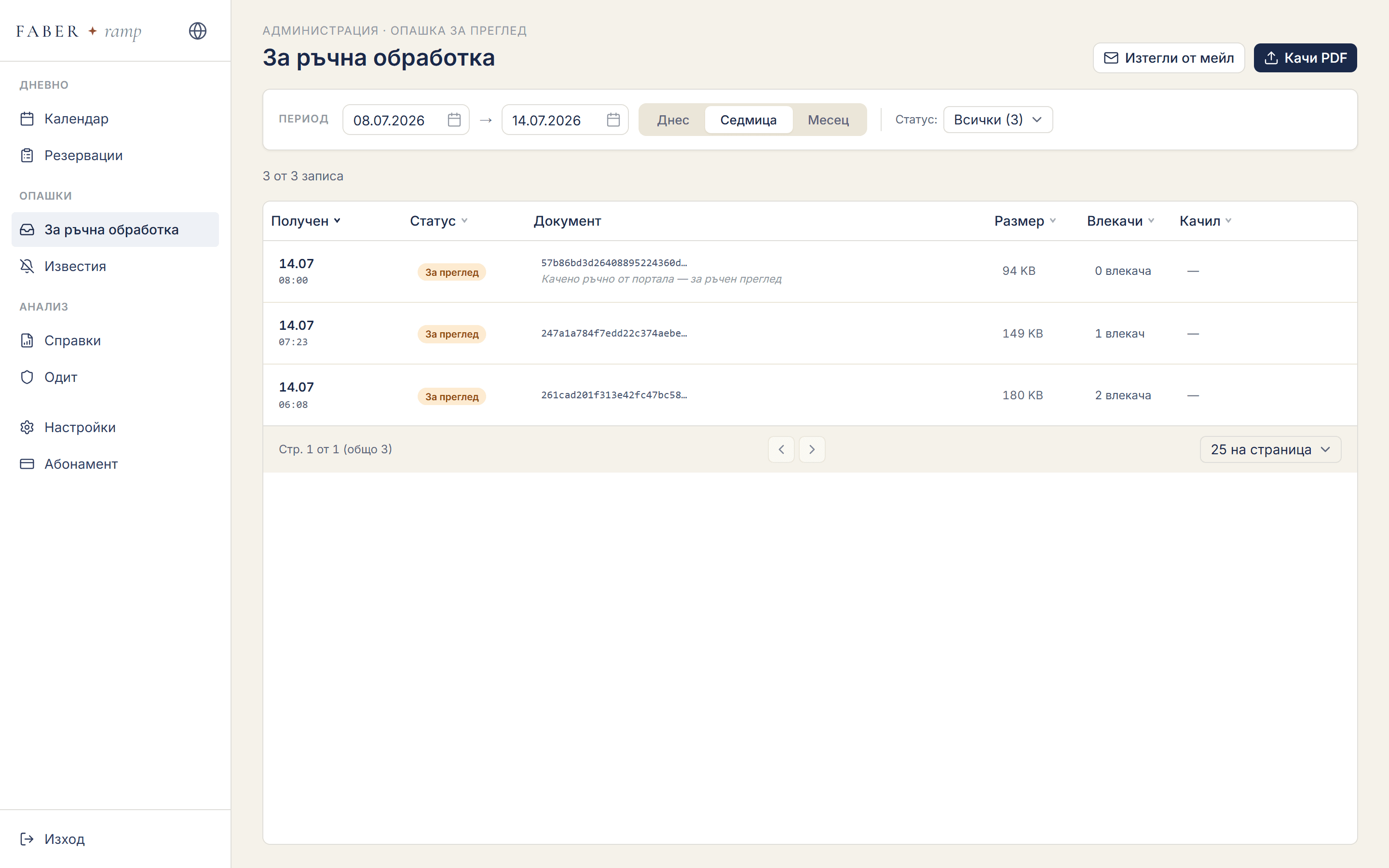
Upload a PDF waybill - the system extracts the numbers, company and goods and prepares a draft reservation. Your team only reviews and approves.
Review queue
Everyone generates a private link from their own profile and adds it once. From then on, every new, moved or cancelled reservation shows up by itself - on iPhone and on Android.
In your profile, open “Add to your phone's calendar” and press “Generate link”. It is shown only once - copy it straight away.
Add the link as a subscribed calendar. It takes less than a minute and you only do it once.
A new, moved or cancelled reservation is reflected in the calendar without you doing anything.
The Google Calendar app cannot add URL subscriptions - you do it once at calendar.google.com. The calendar then appears in the app on your phone by itself.
Reservations sit alongside the rest of your commitments - with the time, the ramp and the truck's plate. A change in the system shows up on the phone with no manual work.
The link is personal and works like a password: anyone who has it can see your reservations. Do not share it. You can replace or turn it off at any time from your profile - the old one stops working immediately.
Included in every plan.
2hours
about, from setup to the first real booking
3clicks
for a carrier booking - with Top-3 suggestions
5languages
interface: BG · EN · DE · EL · RO
0€
carrier fees - never, for anything
Indicative values from our own tests on a test warehouse - not audited metrics and not a promise of a specific result. Faber Ramp launched in October 2026; we will publish customer numbers once we have them.
The demo is the real system with a demonstration warehouse: calendar, reservations, gate screen and reports. Sign in and look around freely.
A public demo environment with sample data. Anything you enter is visible to other visitors and may be deleted at any time.
Sign-in is pre-filled - just press Enter the demo.
Open the demoMost systems talk only to the warehouse. Faber Ramp is designed for the four people who make the ramp work.
Plans the day and sees what arrives before it arrives.

Manages the flow, the moves and the exceptions.
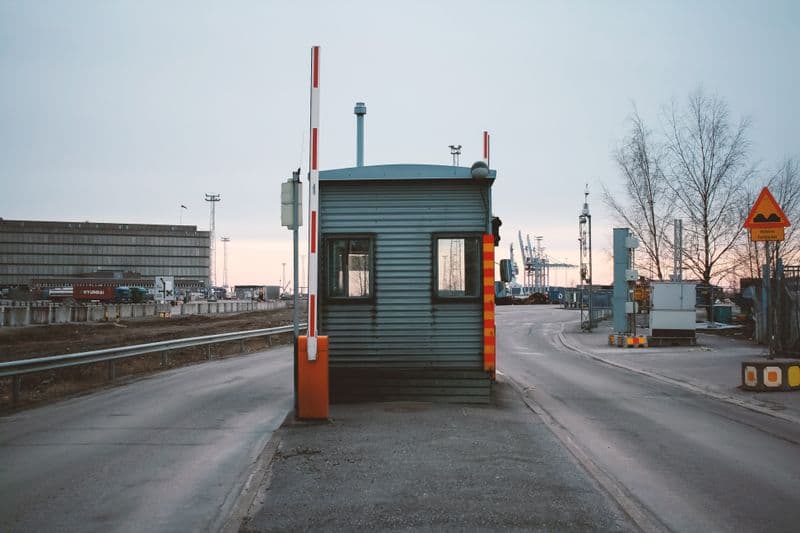
Checks trucks in with one tap - no paper, no phone calls.
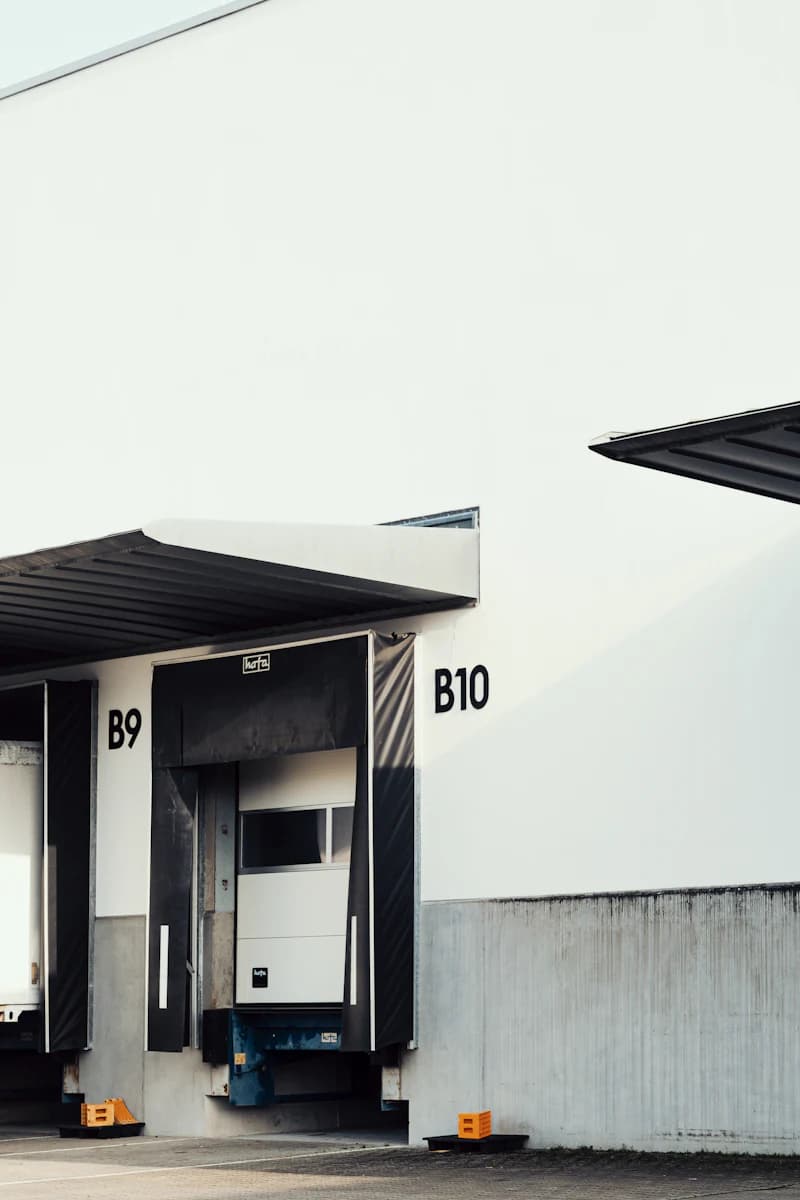
Books in a minute - no calls, no waiting.
We compare categories of solutions, not specific products - and we do not hide where each one is stronger.
| Criterion | Excel + phone | Corporate systems | Faber Ramp |
|---|---|---|---|
| Getting started | Instant - but the chaos stays | An implementation project, often months | About 2 hours, self-service |
| What the carrier pays | Phone time and waiting | Accounts; sometimes per-booking fees | Nothing - a link, no registration |
| Languages for the region | - | Mostly EN/DE | BG · EN · DE · EL · RO |
| Waybill → reservation | Manual retyping | Rare, usually a paid add-on | Built-in OCR extraction (Hub plan) |
| Pricing | Free on paper, expensive in practice | On request, after a sales demo | Public prices, cancel any time |
| Users and ramps | The schedule lives in one person's head | Often per-user licences | Unlimited on every plan |
A category-level summary as of July 2026, based on vendors' public materials. Individual products vary.
You pay for the number of sites (warehouse locations) and the monthly volume of trucks serviced per site. Ramps and users are unlimited on every plan.
One dock, in perfect order.
1 site · 600 trucks serviced/mo per site (a guide, not a cap)
Free no time limit
Calendar, customer portal with passwordless booking and notifications. No gate screen. Arrivals are marked from the office: Reservations → Change status.
The first 10 warehouses get a 30-minute call with us to set up their ramps.
Start freeThe whole terminal on one schedule.
Up to 2 sites · 2,000 trucks serviced/mo per site (a guide, not a cap)
€199 /mo
Everything in Dock, plus the gate screen and advanced analytics.
Start on Dock, upgrade anytimeMany sites, one control desk.
3+ sites · central management
from€249 /mo
Everything in Terminal for every site, plus waybill OCR - automatic PDF reading and a review queue: €249 for the first 3 sites and €59 for each additional one.
Start on Dock, upgrade anytimeThe limit is a guide, not a cap: bookings never stop. If you regularly exceed it, we will suggest a larger plan.
Dock is free - no time limit, no payment card · −20% with annual billing on Terminal and Hub · Unlimited ramps and users · Prices are in EUR and are final - the Provider is not VAT-registered.
Recommend Faber Ramp to a partner or colleague and when they become a customer, you earn a credit of 20% of every payment they make - for as long as they remain a customer. Credits are applied against your own invoices.
Around 5 active referrals cover your entire subscription. Tell us who you referred - we take care of the rest.
Practical articles with numbers and sources - no marketing filler.
Articles are currently in Bulgarian - the interface is available in all 5 languages, and article translations are on the way.
No. There is nothing to migrate - you set up your ramps and working hours, invite your customers, and new bookings go straight into the system. Your old spreadsheet stays with you for reference.
About 2 hours: enter ramps and working hours, add your team and send carriers a link. Your first booking can be the same day. It runs entirely in the browser - no installation, no IT project.
Nothing stops. The system keeps accepting bookings for that site and nothing extra is invoiced for going over. The monthly volume is a guideline, not a cap; if you regularly exceed it, we will suggest a larger plan. We never block a warehouse's work because of a limit.
No. Your carriers and customers book through a secure one-time link - no account, no password and no fee of any kind. That is a matter of principle: the warehouse carries the cost, the whole chain gets the benefit.
Yes. Carriers book from any phone browser - nothing to install. On Terminal and Hub the gate screen runs on any tablet or phone: search by plate, one tap. On Dock, arrivals are marked from the office. The full admin dashboard is designed for a desktop screen.
Each company works in its own isolated space. Access is role-based, every action is recorded in an audit log, and customers sign in with a secure one-time link instead of passwords. Data is hosted in the EU.
Yes. Dock is free - €0 a month, with no time limit and no payment card, and it is activated automatically when you sign up. You only pay when you need more: a second site, the gate screen or automatic waybill reading - that is, the Terminal or Hub plan.
Email and in-app notifications work out of the box, and your data is always available as an Excel export. You do not need an integration to start: Faber Ramp runs next to your WMS/ERP, not inside it. A direct ERP/WMS link we scope per project - tell us what you need.
Set up your ramps today, send your customers a link tomorrow - and see the difference within the first week.
The Dock plan is free for everyone · no payment card
We use strictly necessary cookies - for signing in, remembering your language and remembering this choice. Only if you open a partner link do we also store the partner's code for 30 days. We use no analytics or advertising cookies. For aggregated visit statistics we use Cloudflare Web Analytics - no cookies and no tracking of individual visitors. More in the Cookie Policy.